CSC 306 Introduction to Programming with C++
Creating Histograms
Chapter --- Various
Objectives
- Use overloaded functions to build histograms.
- Use nested loops to draw graphs.
- Create more complicated algorithms.
Bar Charts and Histograms
|
A bar chart or histogram is a typical way that is used to express statistical
information in a graphical fashion.
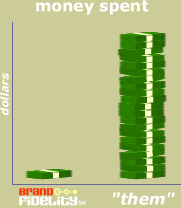
Some ads are given as a histogram. Consider this one:
|
|
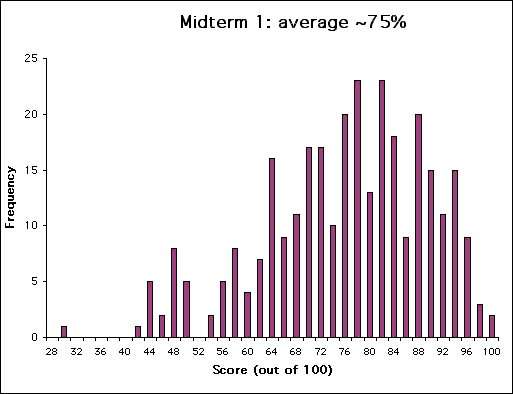
You might have seen a histogram that represents exam scores in a class.
An example of building a histogram
Imagine that a medium-sized retailer, thinking of expanding into a new region,
identifies a comparable business that it considers as being a possible choice
for takeover.
It finds the following annual profit figures for the target retailer's
recent ten years trading on the left.
The predator company wants to convert this number series into a bar chart or
histogram to determine the most likely annual profit.
A horizontal line is drawn across the page and each 'x' representing dollars
is marked above the appropriate value representing tens of thousands of
dollars on the right:
| Raw Data |
| Histogram Representation |
| 1993: | $30,000
| | 1994: | $90,000
| | 1995: | $70,000
| | 1996: | $30,000
| | 1997: | $70,000
| | 1998: | $60,000
| | 1999: | $50,000
| | 2000: | $40,000
| | 2001: | $70,000
| | 2002: | $90,000
|
|
|

|
Every value in the original distribution is shown by an 'x' above the
appropriate number, so there is one x for values 4, 5 and 6, two x's for 3
and 9, and three x's for 7.
We can see at a glance that 7 is the most frequent value in the distribution;
this tells the company some vital information instantly, without having to
pour through lists of numbers and dates.
This graphical presentaion often makes it easier for a business to get a
clear picture when there are of hundreds of values in a data set, not just
ten as in this case.
A common alternative representation of a distribution is using vertical blocks,
rather than columns of x's.
The above data set might have been illustrated as follows, which gives exactly
the same information but is more time-consuming:

Lab Specifics
This lab is to be done individually.
You have been hired by the American College Testing Service (ACT) folks to
help them be able to analyze the multiple choice questions on the ACT test.
In the ACT multiple choice question test, there is one right answer per question
and three or four wrong answers called "distracters."
The people that design the ACT want to have "good" distracters that students
choose frequently, and they want to see how good their distracters are at
various testing sites.
The quickest way is to present the frequency distribution of the answers in a
bar chart.
Your task in this lab is to design a program in a file named
YourLastName_306L3.cpp that displays these histograms.
Here are a couple of suggestions:
-
Each multiple choice question has 4 or 5 possible answers, so there should be
at least two overloaded functions named
histo that take 4 or 5
integer inputs (depending on the implementation) and draw the relevant histogram
on the screen.
Examples:
-
Calling
histo(5, 4, 6, 2) should produce output that appears
like:
|
|
    *
*   *
* * *
* * *
* * * *
* * * *
-------
A B C D
|
-
Calling
histo(5, 4, 6, 2, 1) should produce output that appears
like:
|
|
    *
*   *
* * *
* * *
* * * *
* * * * *
---------
A B C D E
|
| Note:
| You must display the data in this orientation, rather than turned sideways.
This will require some planning.
|
|---|
-
The
main() function should allow the user to input and view as many
histograms as desired.
-
You are expected in this lab to break your algorithm into appropriate small
sub-tasks and use a different function for each subtask.
Your program should therefore include more functions than just the two
histo functions.
-
Add in a new innovation that is not spelled out above.
Be sure to:
When you have completed your program and have it working to your satisfaction,
drop the source code and your Microsoft Word Lab write-up
YourLastName_306L3.doc into the CSC306_L03 dropbox on the
Academic server.